
Step 01
Click Connect on Instagram
In PostSync, go to Accounts Connectivity and click Connect on the Instagram card.
Instagram is one of the largest social media platforms, and PostSync allows you to connect, post and plan your content to Instagram. Since Instagram requires a Facebook login to connect, you will need a Facebook account linked to your Instagram before getting started.
Follow this comprehensive, step-by-step guide to seamlessly link your Instagram account to PostSync and streamline your content planning pipeline.
In PostSync, go to Accounts Connectivity and click Connect on the Instagram card.
You will be redirected to the Facebook login page. Sign in with the Facebook account linked to your Instagram.
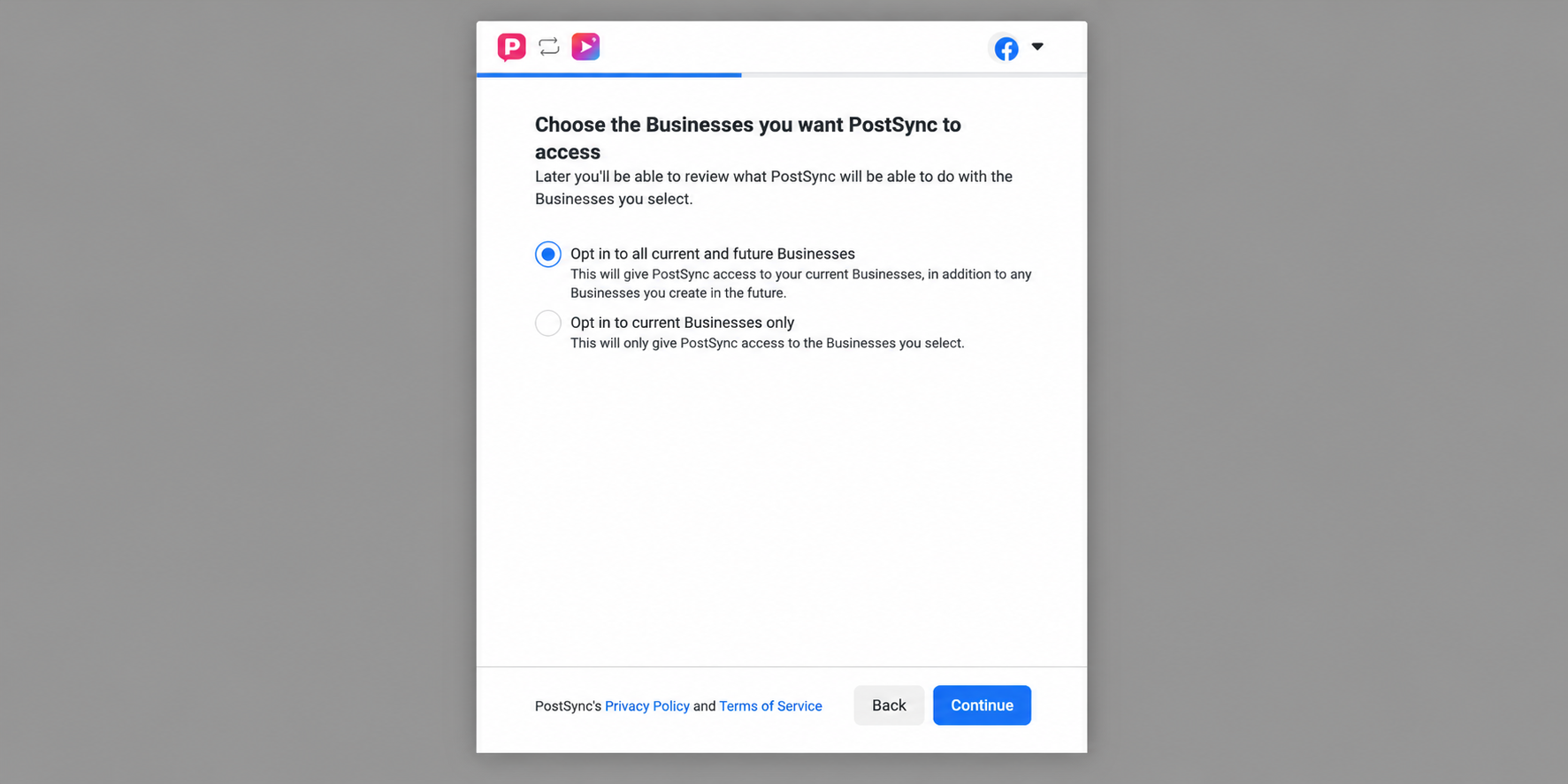
Select "Opt in to all current and future Businesses", then click Continue.
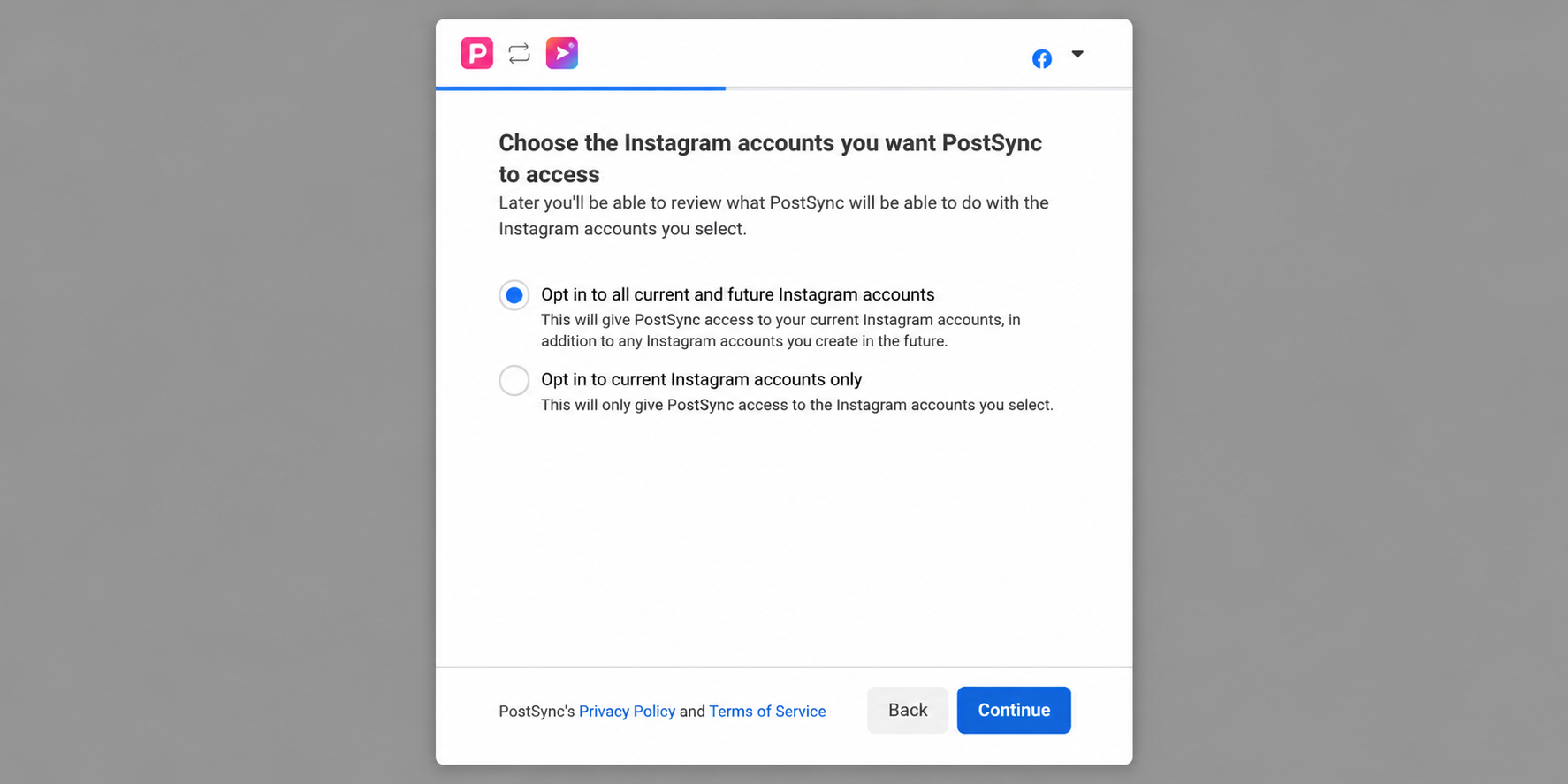
Select "Opt in to all current and future Instagram accounts", then click Continue.
Review all permissions, click Save, then click Got It. You will be redirected back to PostSync and your Instagram account is connected successfully!
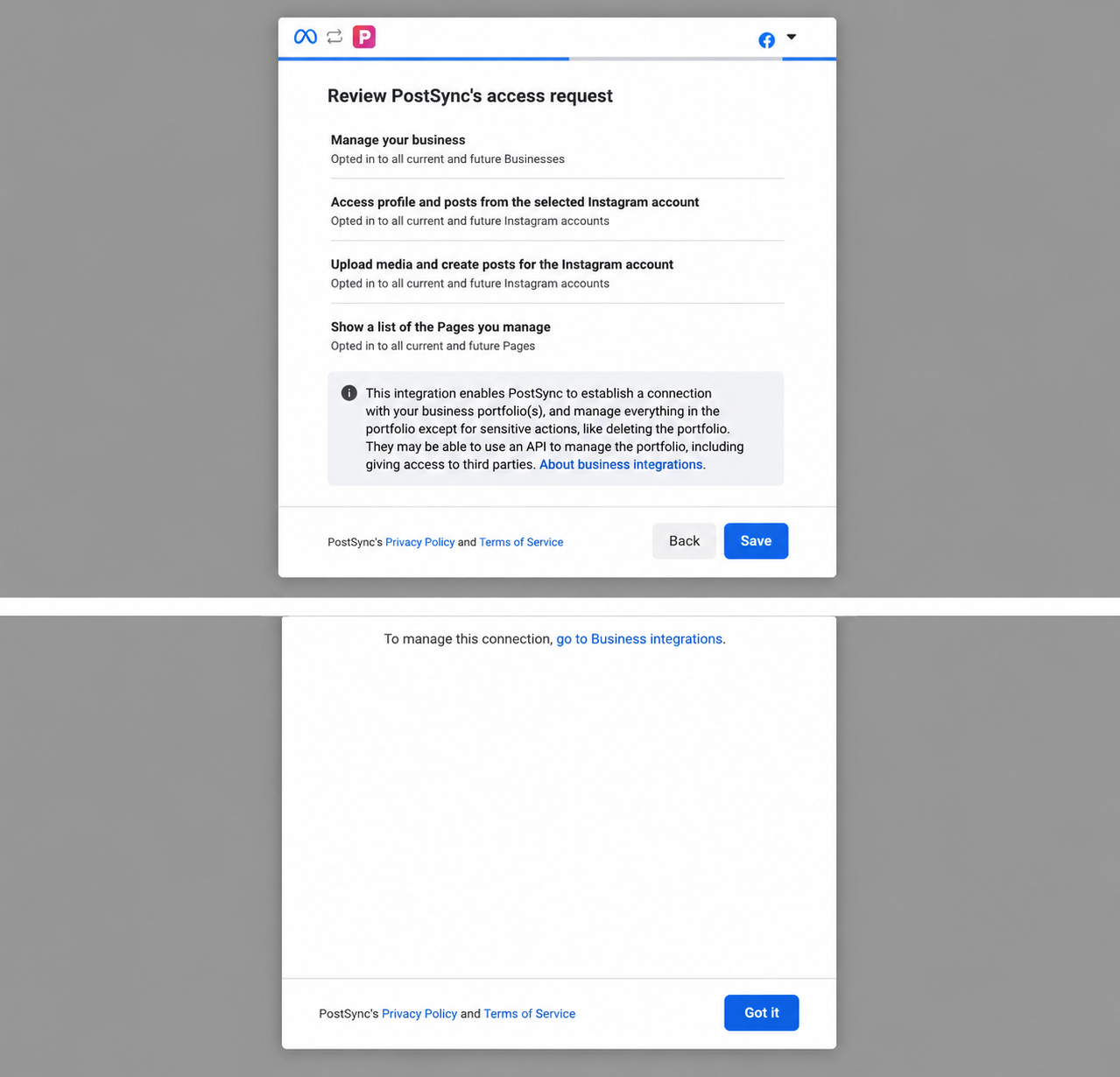
If you receive the error message above, follow the steps below to resolve it:
Open the Instagram app and go to Settings → Account → Switch to Professional Account. Choose either Business or Creator.
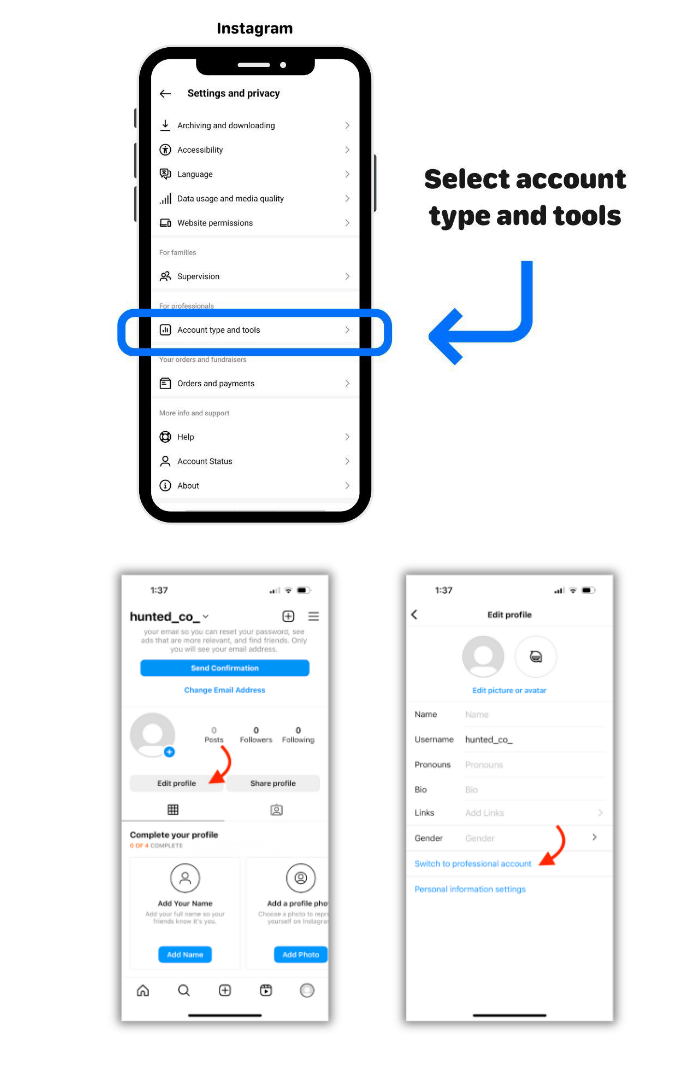
Go to Instagram → Edit Profile → Page and select a Facebook Page to connect to your Instagram account, or create a new one.
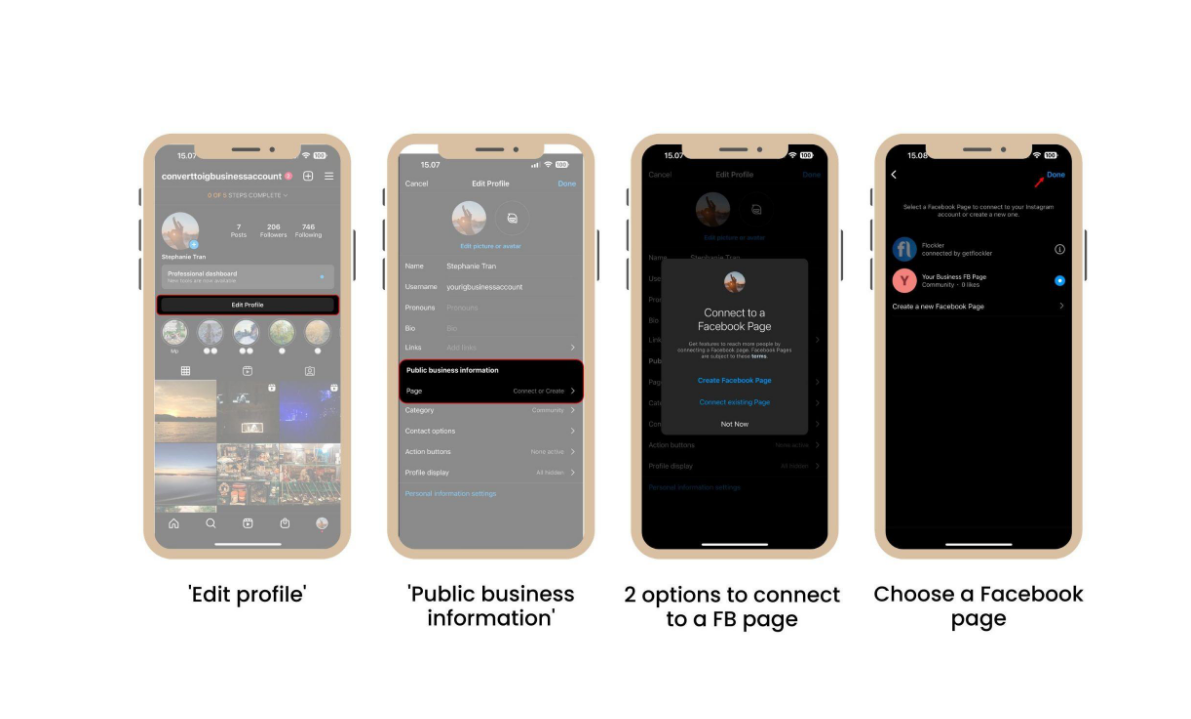
Alternatively, go to your Facebook Page → Settings → Linked Accounts → Instagram and click Connect account to link the Instagram account to the specific Facebook Page.
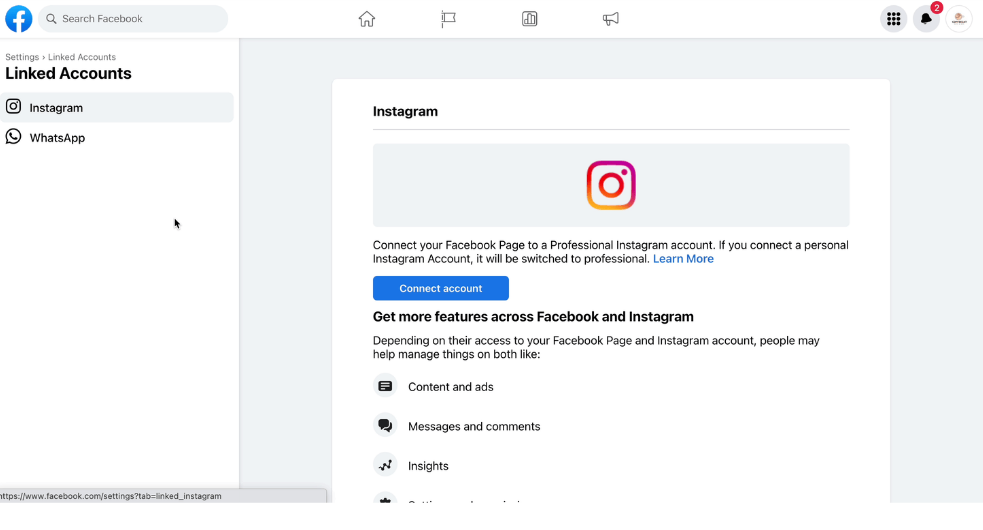
Important: The Instagram account must be connected to a Facebook Page, not just your personal Facebook profile.