
Step 01
Click Connect on X
In SoMePoster, go to Settings → Accounts Connectivity and click the Connect button next to X (Twitter).
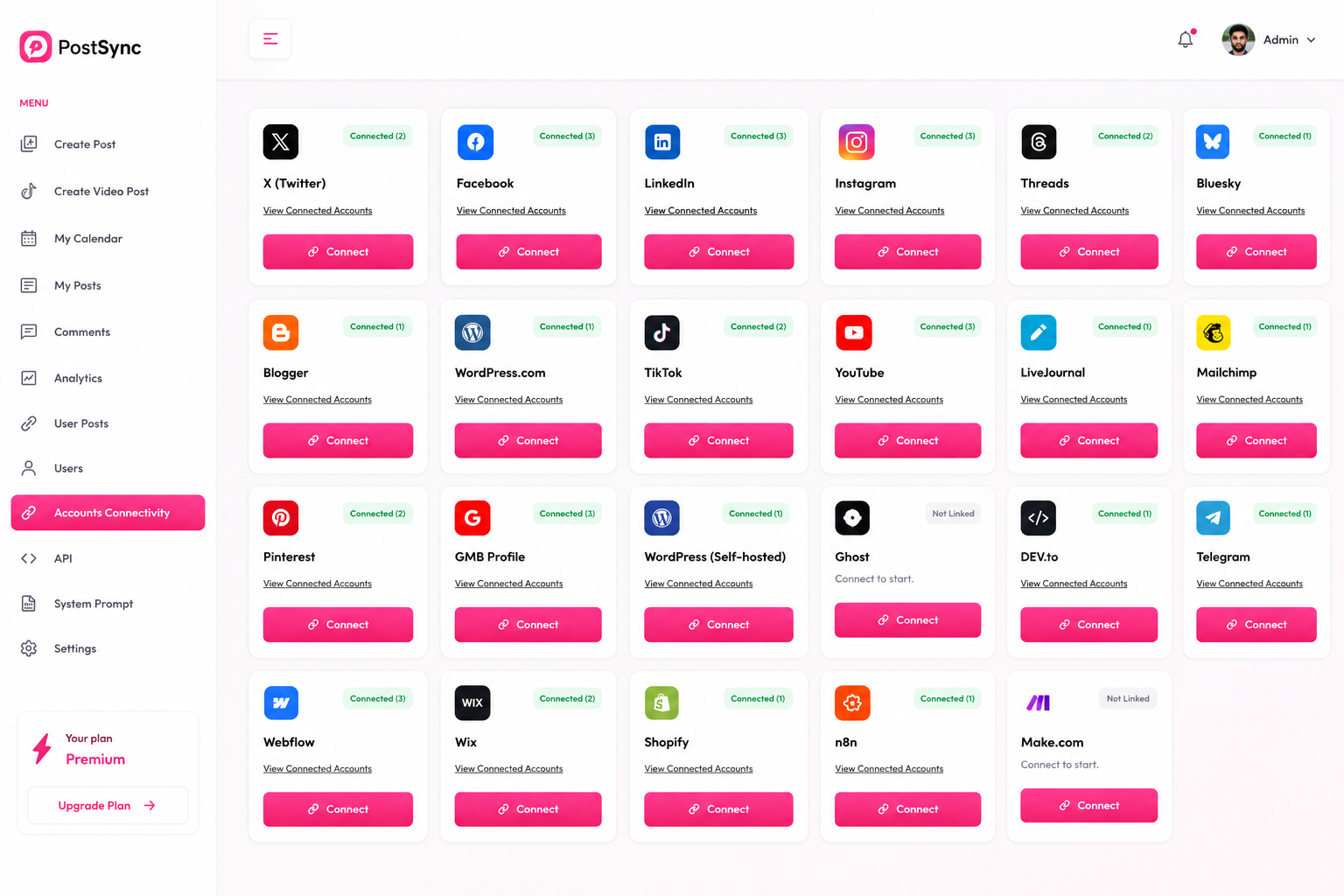
X, formerly known as Twitter, is one of the most active platforms for sharing quick updates, news and opinions. PostSync allows you to connect, post and schedule your content to X alongside all your other platforms.
Follow this comprehensive, step-by-step guide to seamlessly link your X (Twitter) account to PostSync and streamline your publishing workflow.
In SoMePoster, go to Settings → Accounts Connectivity and click the Connect button next to X (Twitter).
You will be redirected to the X login page. Log in with the account you want to connect to PostSync.
Review the permissions requested by PostSync — including the ability to see posts, manage your profile, create and delete posts, and more. Click Sign In and then Authorize app to grant access.
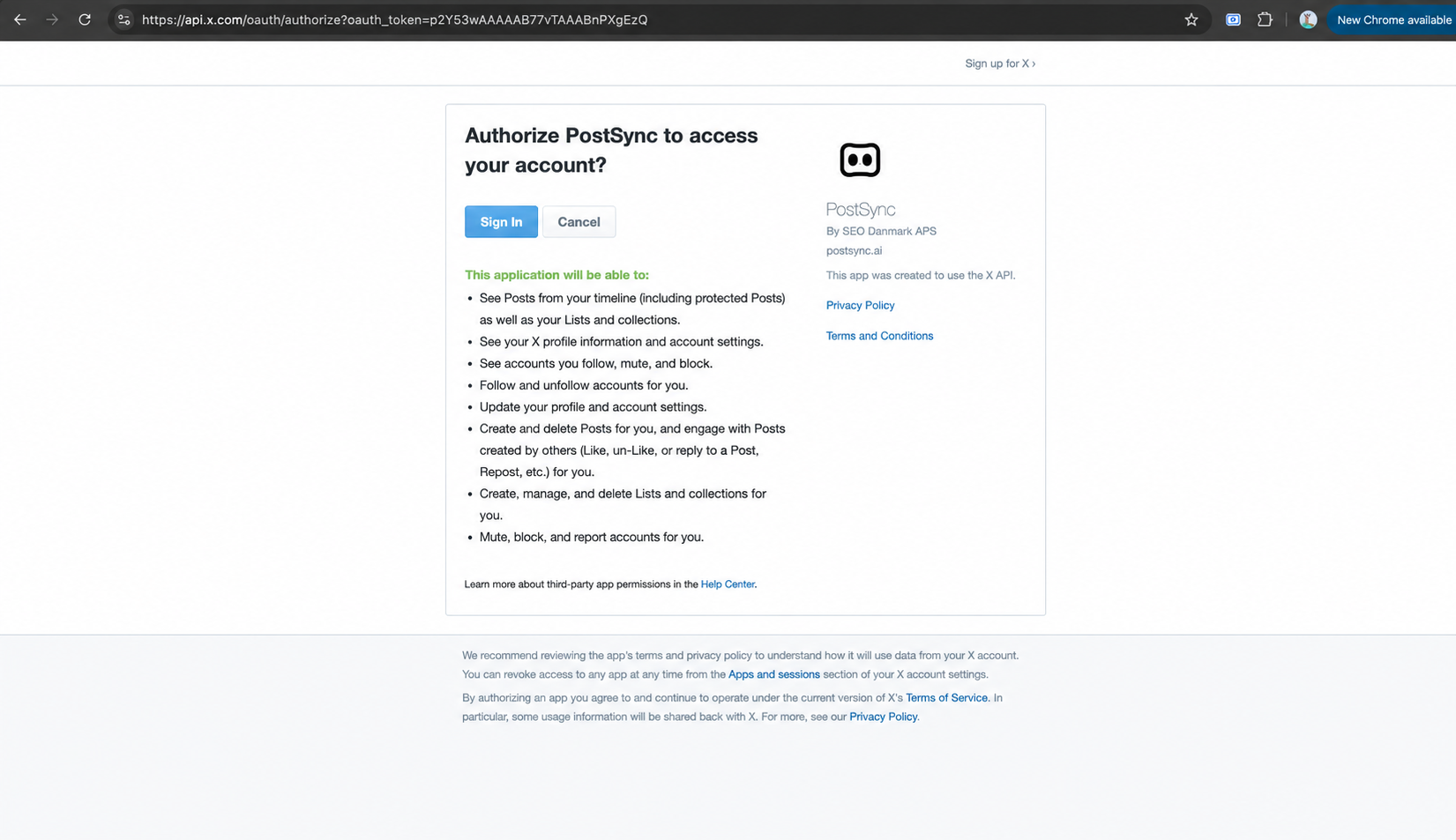
You will be redirected to the PostSync Dashboard and your X (Twitter) account is now connected successfully.