
Step 01
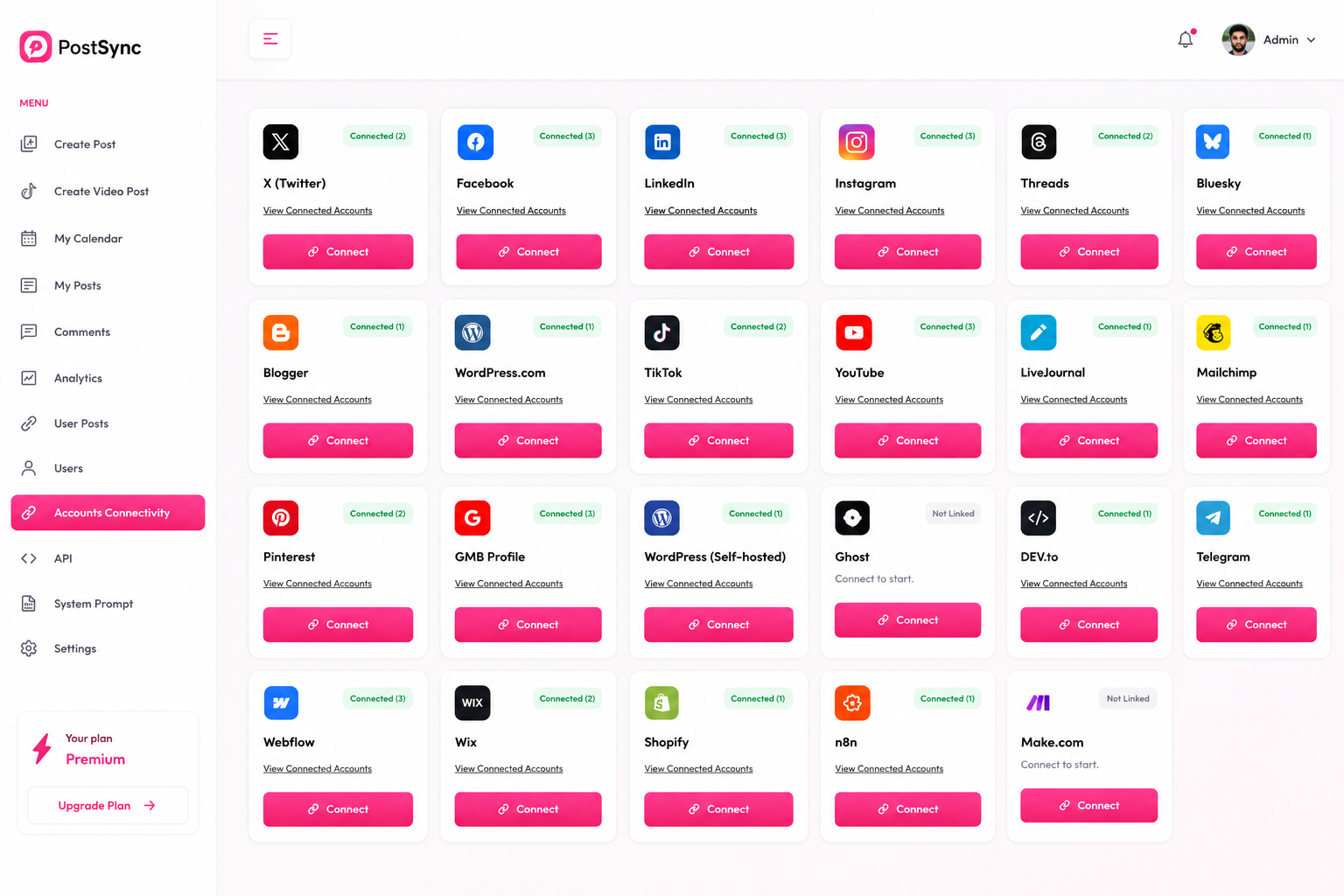
Click Connect on LinkedIn
In PostSync, go to Accounts Connectivity and click Connect on the LinkedIn card.
LinkedIn is the leading platform for professionals and businesses looking to share content and build their network. With PostSync connected, you can plan, post and schedule your LinkedIn content without ever leaving the tool.
Follow this comprehensive guide to seamlessly link your LinkedIn account to PostSync and streamline your professional publishing workflow.
In PostSync, go to Accounts Connectivity and click Connect on the LinkedIn card.
You will be redirected to LinkedIn. Sign in with the account you want to connect to PostSync.
Review the permissions PostSync is requesting — including using your name and photo, creating, modifying and deleting posts, comments and reactions on your behalf, and accessing your primary email. Click Allow to grant access.
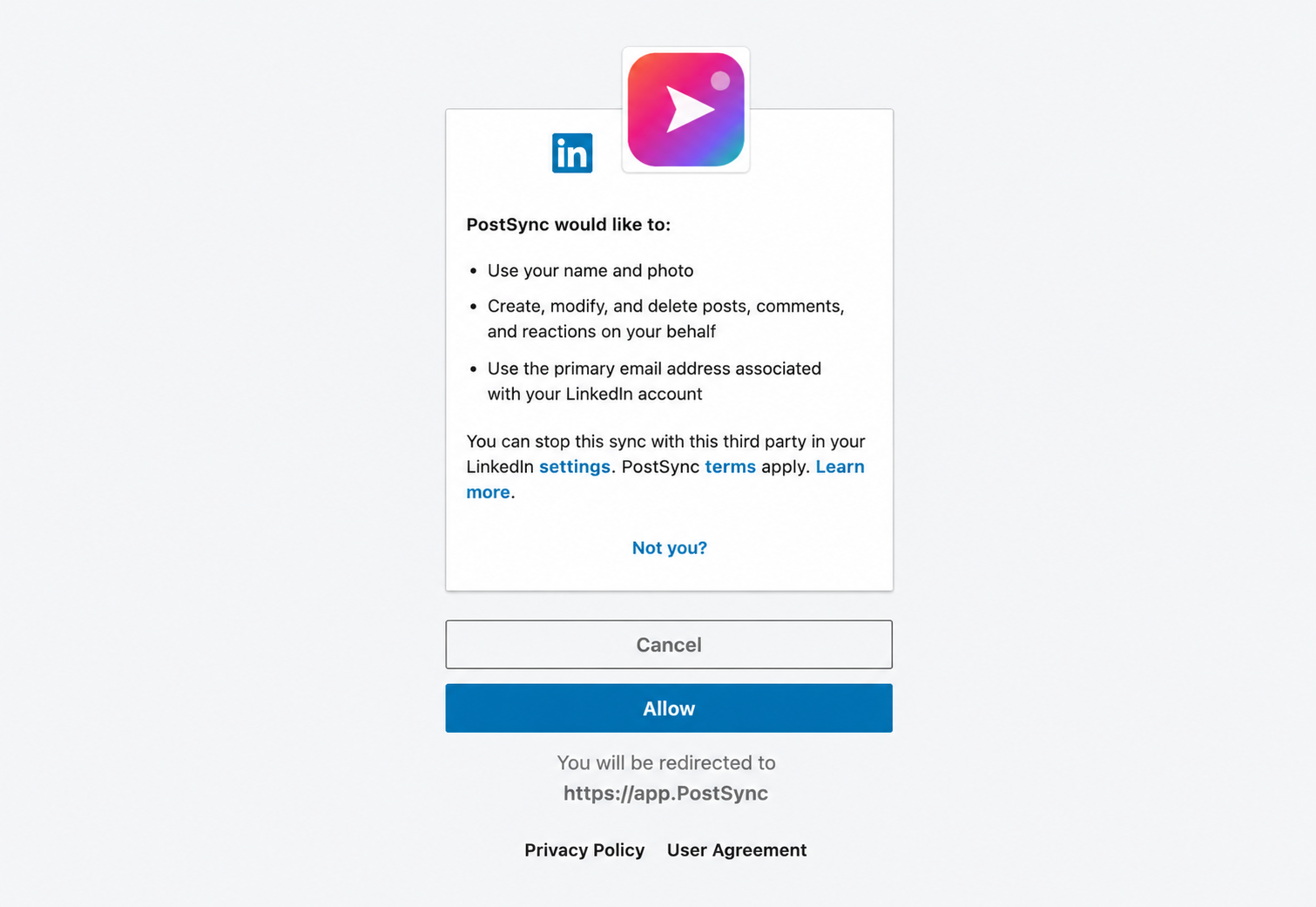
You will be redirected back to PostSync and your LinkedIn account will now appear as connected in the Accounts Connectivity section.